Agentic AI for Databases: Automate Multi-Step Workflows with One Message
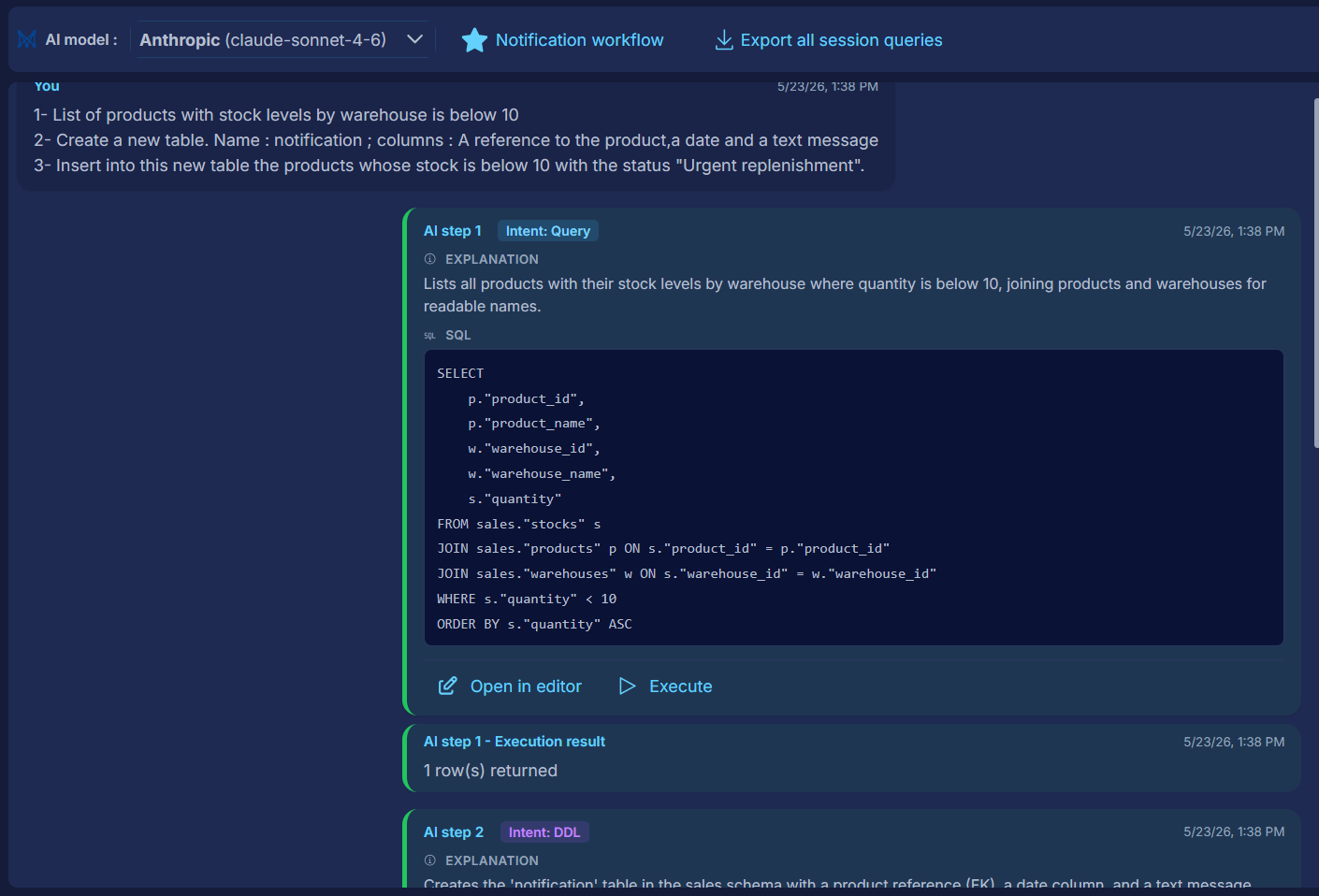
Text-to-SQL is a single question, a single answer. But real database work isn't just one query — it's a workflow. Create a table. Insert data from multiple sources. Add indexes. Update a view. What if you could describe the entire workflow in one message and let AI handle the rest?
What Is Agentic AI?
Traditional AI assistants are reactive — you ask a question, they give one answer. Agentic AI is proactive — you describe a goal, and the AI:
- Plans — Breaks your request into sequential steps
- Validates — Checks each step against your schema for correctness
- Previews — Shows you what it will do before doing it
- Executes — Runs each step in order, handling dependencies
- Verifies — Confirms success at each stage
It's the difference between a calculator (enter input → get output) and an autonomous assistant (describe the goal → it figures out the steps).
Real Example: Building a Reporting Table
Let's say you type:
"Create a monthly_revenue table that aggregates revenue by product category and month from the Orders and Products tables for the last 12 months. Add an index on month and category. Then create a view called revenue_trends that shows month-over-month growth percentage."
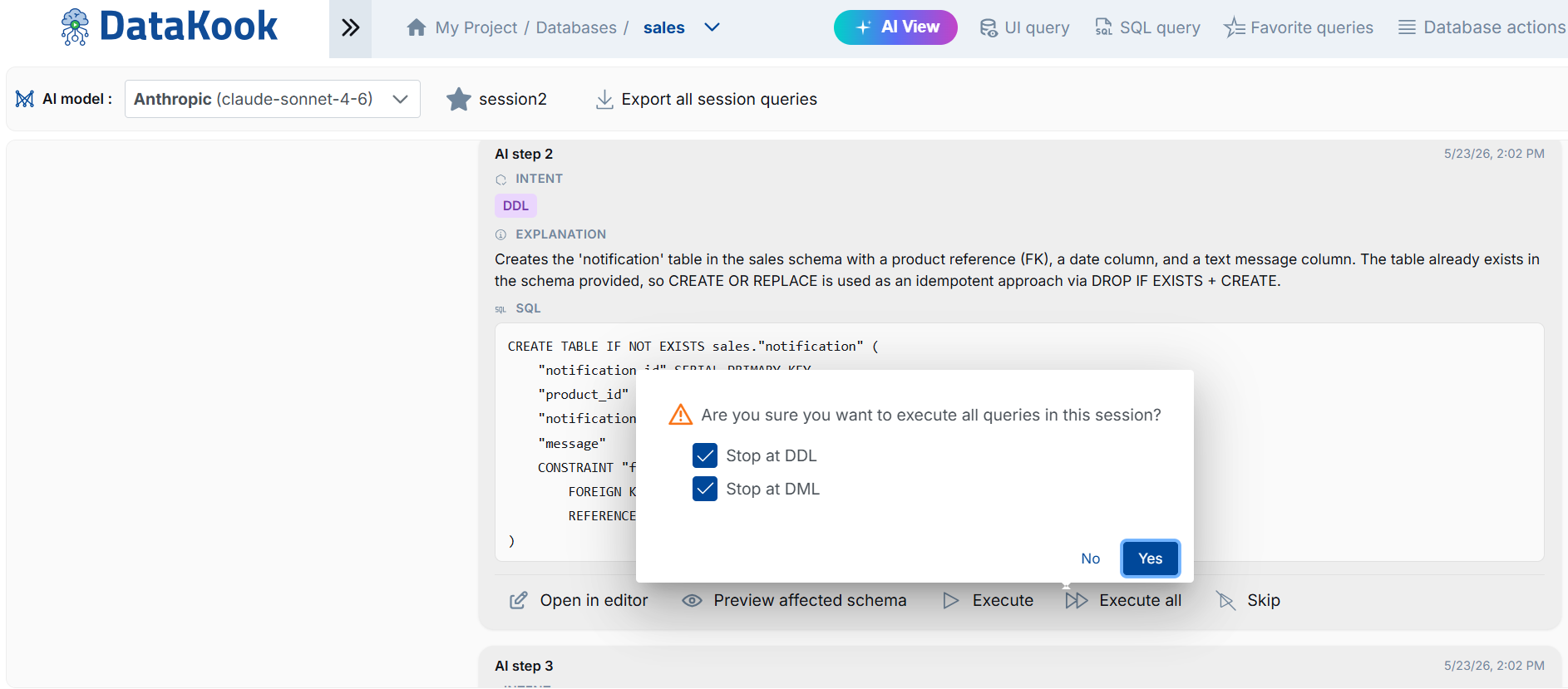
Here's what DataKook's Agentic AI does:
Step 1: Analyze Schema
The AI examines your Orders and Products tables — column names, types, relationships, data volume — to plan the correct SQL.
Step 2: Plan & Preview
It presents a plan:
Execution Plan:
Step 1/4: CREATE TABLE monthly_revenue (
            id INT IDENTITY PRIMARY KEY,
            category_name VARCHAR(100),
            revenue_month DATE,
            total_revenue DECIMAL(18,2),
            order_count INT
          )

Step 2/4: INSERT INTO monthly_revenue (...)
          SELECT c.CategoryName, DATEFROMPARTS(YEAR(o.OrderDate), MONTH(o.OrderDate), 1),
                 SUM(oi.Quantity * oi.UnitPrice), COUNT(DISTINCT o.OrderId)
          FROM Orders o
          JOIN OrderItems oi ON o.OrderId = oi.OrderId
          JOIN Products p ON oi.ProductId = p.ProductId
          JOIN Categories c ON p.CategoryId = c.CategoryId
          WHERE o.OrderDate >= DATEADD(month, -12, GETDATE())
          GROUP BY c.CategoryName, DATEFROMPARTS(YEAR(o.OrderDate), MONTH(o.OrderDate), 1)

Step 3/4: CREATE INDEX IX_monthly_revenue_month_category
          ON monthly_revenue (revenue_month, category_name)

Step 4/4: CREATE VIEW revenue_trends AS
          SELECT curr.category_name, curr.revenue_month,
                 curr.total_revenue,
                 prev.total_revenue AS prev_month_revenue,
                 CASE WHEN prev.total_revenue > 0
                      THEN ((curr.total_revenue - prev.total_revenue) / prev.total_revenue) * 100
                      ELSE NULL END AS growth_pct
          FROM monthly_revenue curr
          LEFT JOIN monthly_revenue prev
            ON curr.category_name = prev.category_name
            AND curr.revenue_month = DATEADD(month, 1, prev.revenue_month)
Step 3: Execute with Safety Controls
You review the plan, approve it, and the AI executes each step sequentially — reporting success or failure at each stage.
Safety Controls: You're Always in Charge
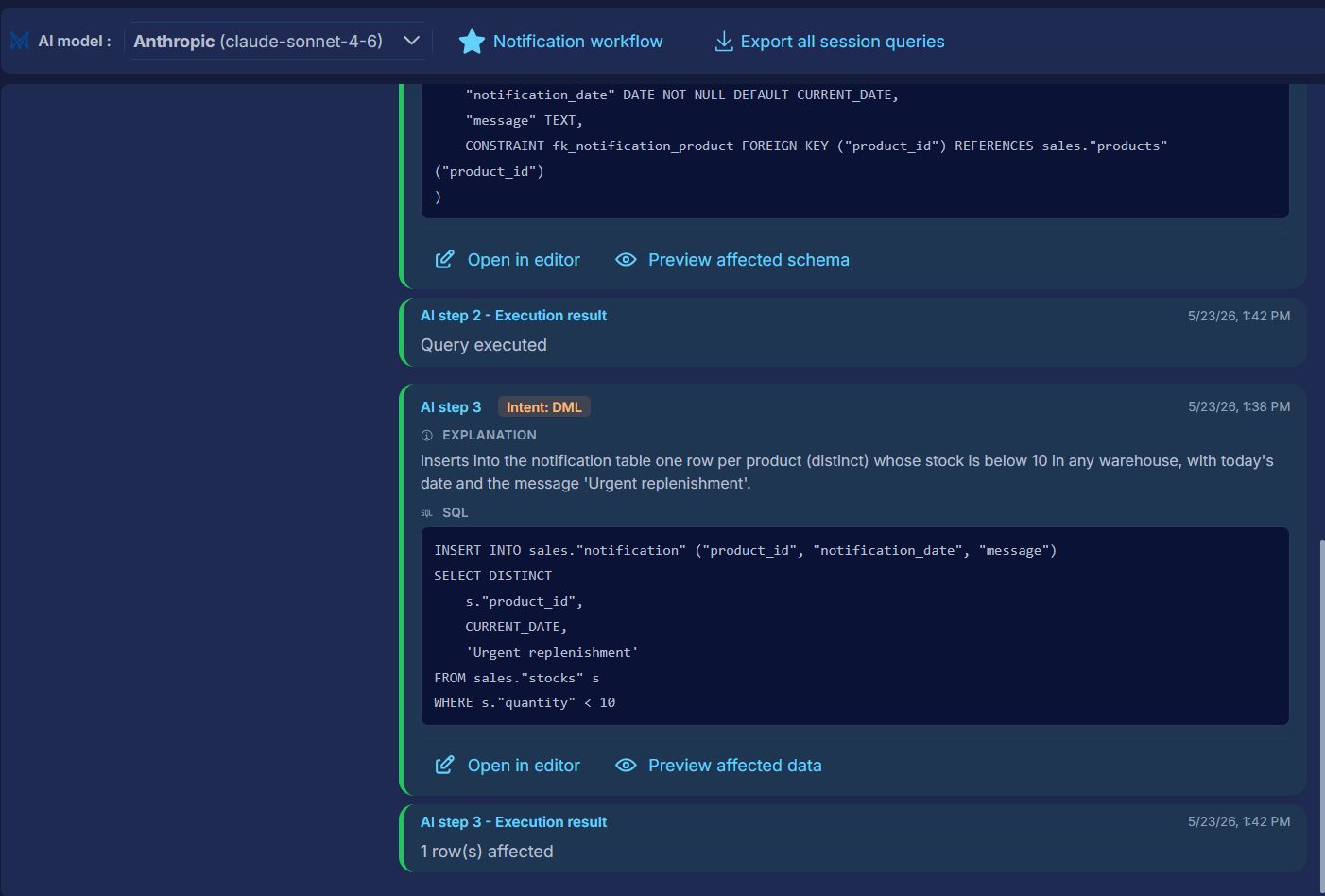
Agentic AI is powerful — which makes safety critical. DataKook provides multiple layers of control:
- Preview before execution — Every SQL statement shown before it runs
- Step-by-step approval — Approve the entire plan, or step-by-step for sensitive operations
- DDL restrictions — Configure whether AI can CREATE/ALTER/DROP or only do DML
- Scope limits — AI can only operate on databases/tables you've authorized
- Rollback capability — Full audit trail of every change for manual reversal
- Dry-run mode — See the plan without executing anything
More Workflow Examples
Data Migration
"Copy all active customers from the legacy CRM database to the new customers table, mapping old field names to new ones. Skip duplicates based on email."
Schema Cleanup
"Find all tables without a primary key, add an auto-increment ID column to each, and create missing foreign key constraints based on naming conventions (e.g., customer_id → customers.id)."
Reporting Setup
"Create a dashboard_metrics table that runs nightly. It should aggregate daily_active_users, total_revenue, and new_signups from the analytics tables for the last 90 days."
Test Data Generation
"Generate 1000 realistic test records for the Orders table with random dates in the last 6 months, linked to existing products and customers."
When to Use Agentic AI vs. Standard Text-to-SQL
| Scenario | Best Mode |
|---|---|
| Single question ("How many orders last week?") | Text-to-SQL |
| Multi-step task ("Create table + populate + index") | Agentic AI |
| Exploratory analysis ("Show me revenue trends") | AI Assistant (chat) |
| Complex workflow with dependencies | Agentic AI |
| Schema modifications | Agentic AI (with preview) |
Security: Your Data Stays Private
Even in agentic mode, DataKook's security model applies:
- Schema-only context to LLMs — AI sees table/column structure, not your actual data
- Execution happens locally — All SQL runs within your Azure environment
- RBAC enforcement — AI respects the current user's permissions
- Full audit trail — Every agentic action is logged with user context
Getting Started with Agentic AI
Deploy from the Azure Marketplace, connect your databases, and start automating multi-step workflows today.