Stop Writing CRUD: How to Auto-Generate REST APIs from Any Database in Minutes
Backend developers spend an average of 3-4 weeks building CRUD APIs for every new project. Authentication plumbing, endpoint boilerplate, input validation, pagination, error handling — it's the same code every time. What if you could skip all of it?
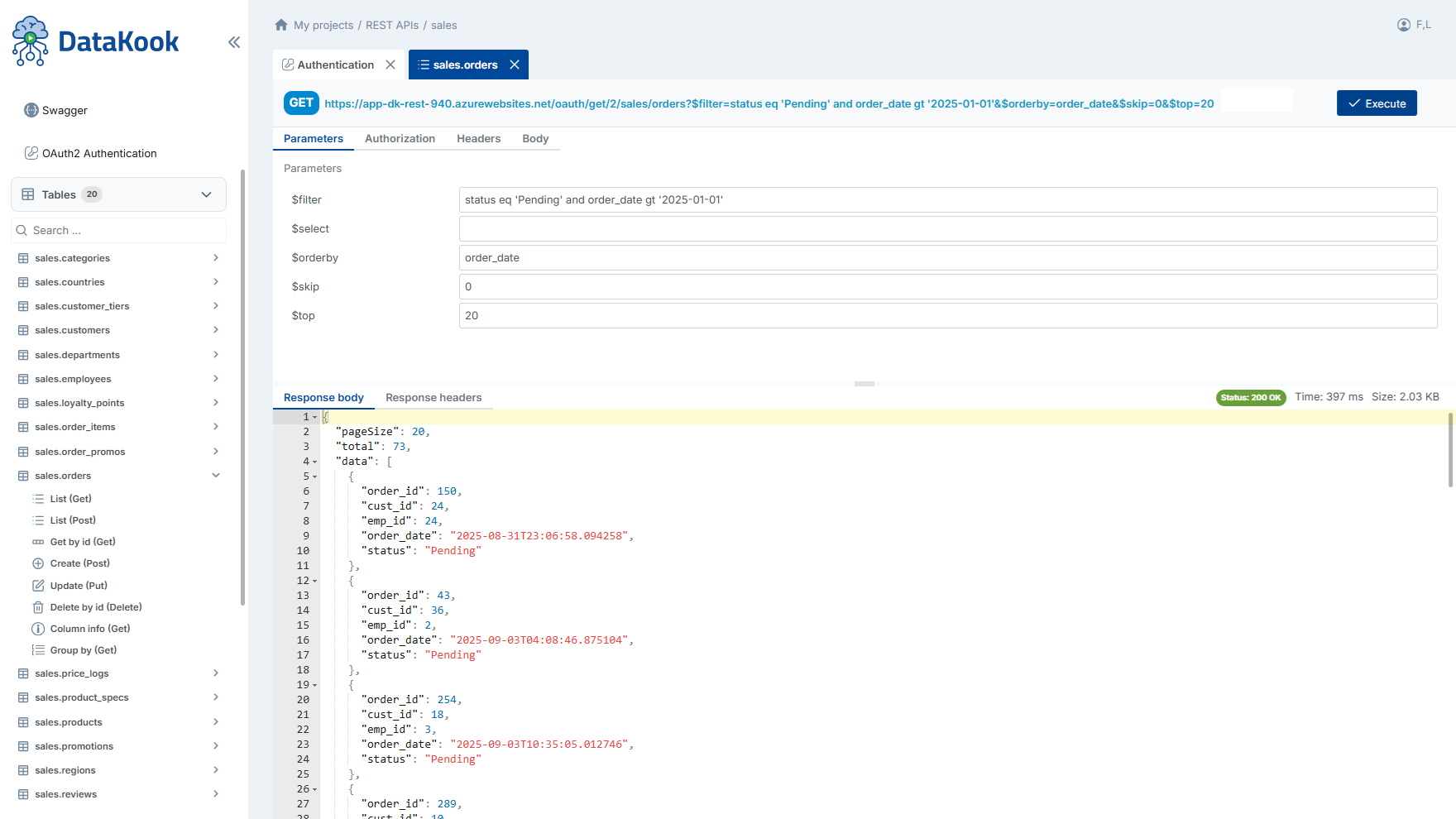
REST API — Auto-generated CRUD endpoints from your database tables in seconds
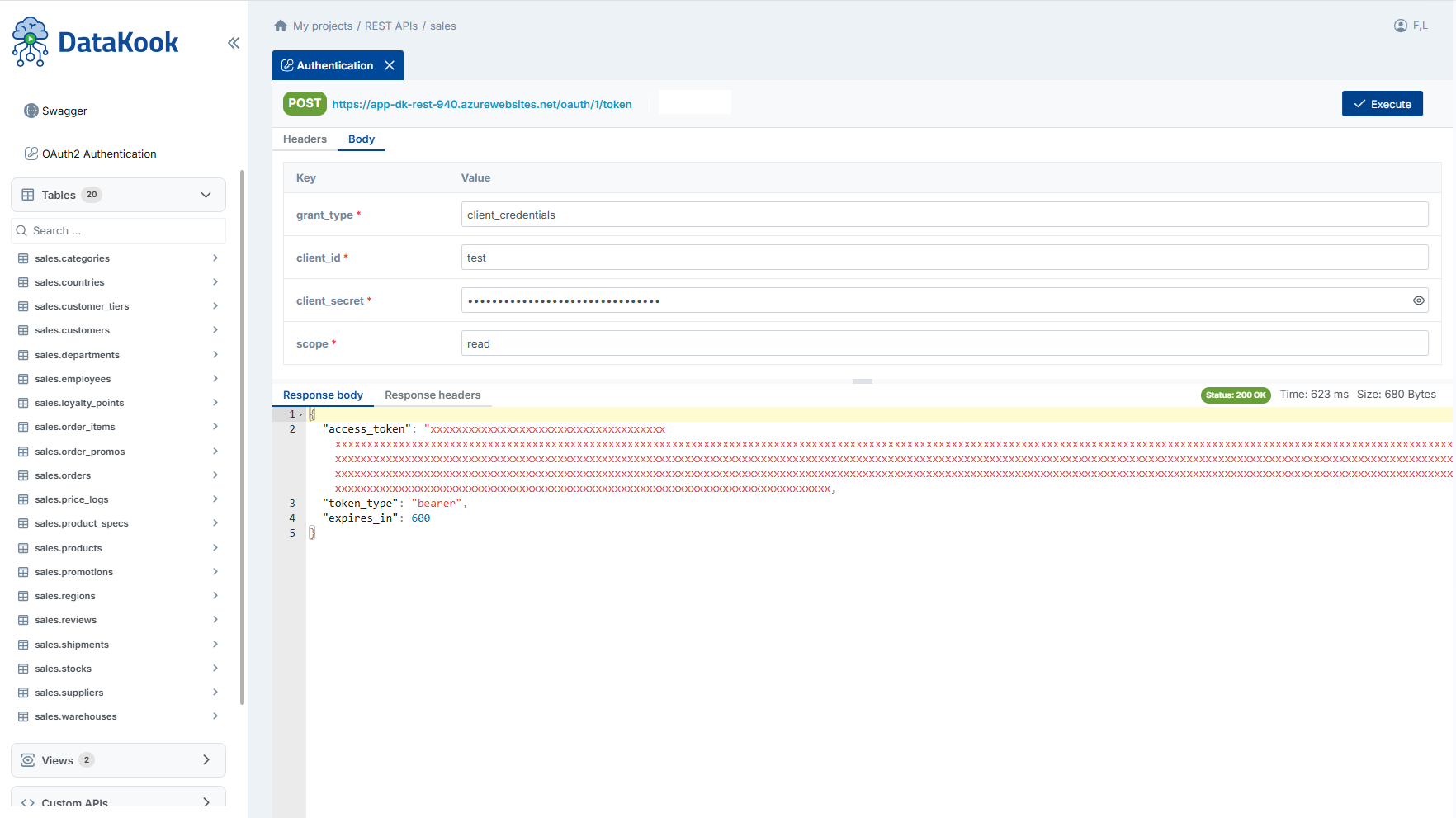
OAuth2 — Built-in authentication with authorization code, client credentials, and PKCE flows
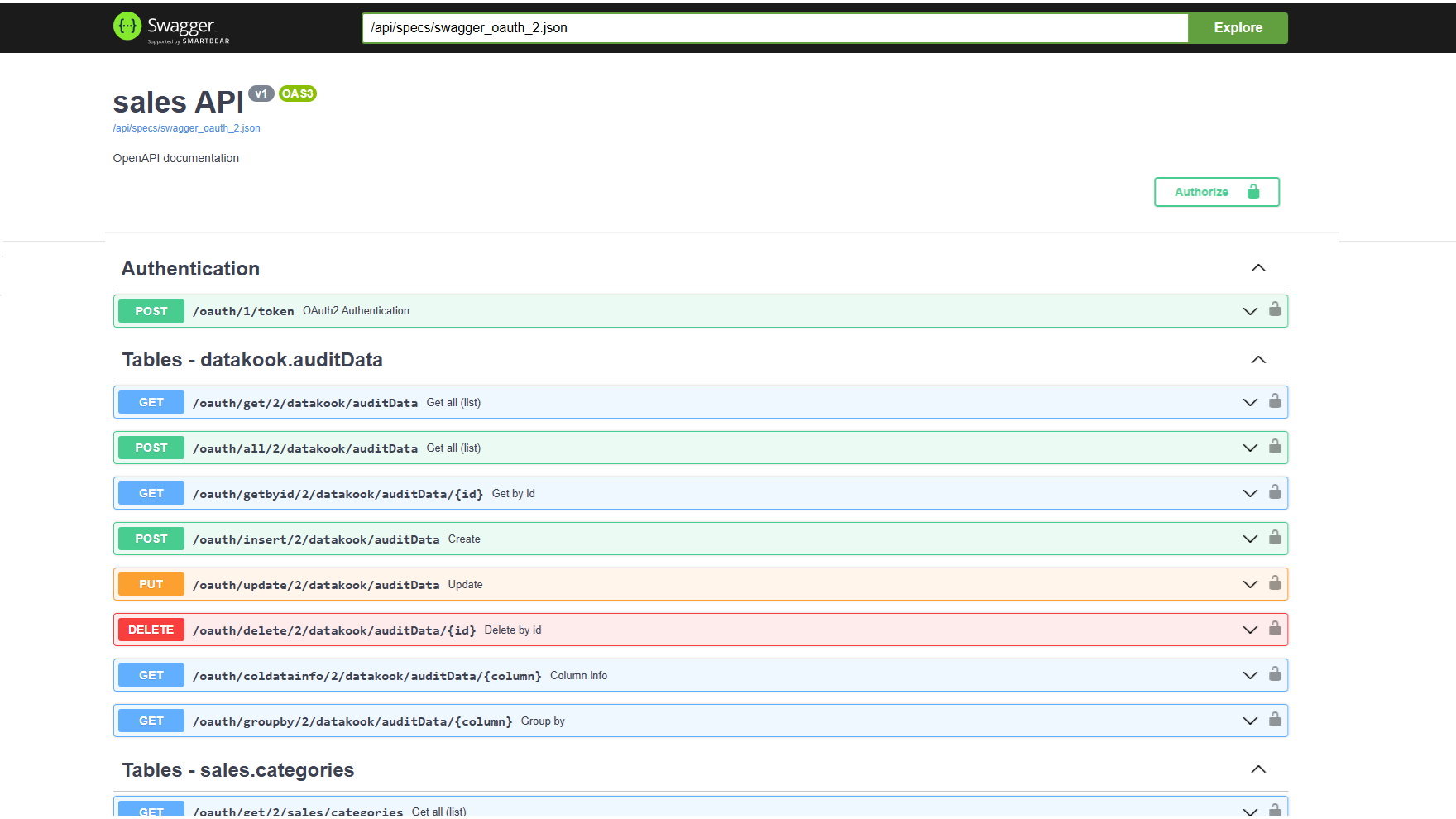
Swagger — Interactive API documentation auto-generated and always in sync with your schema
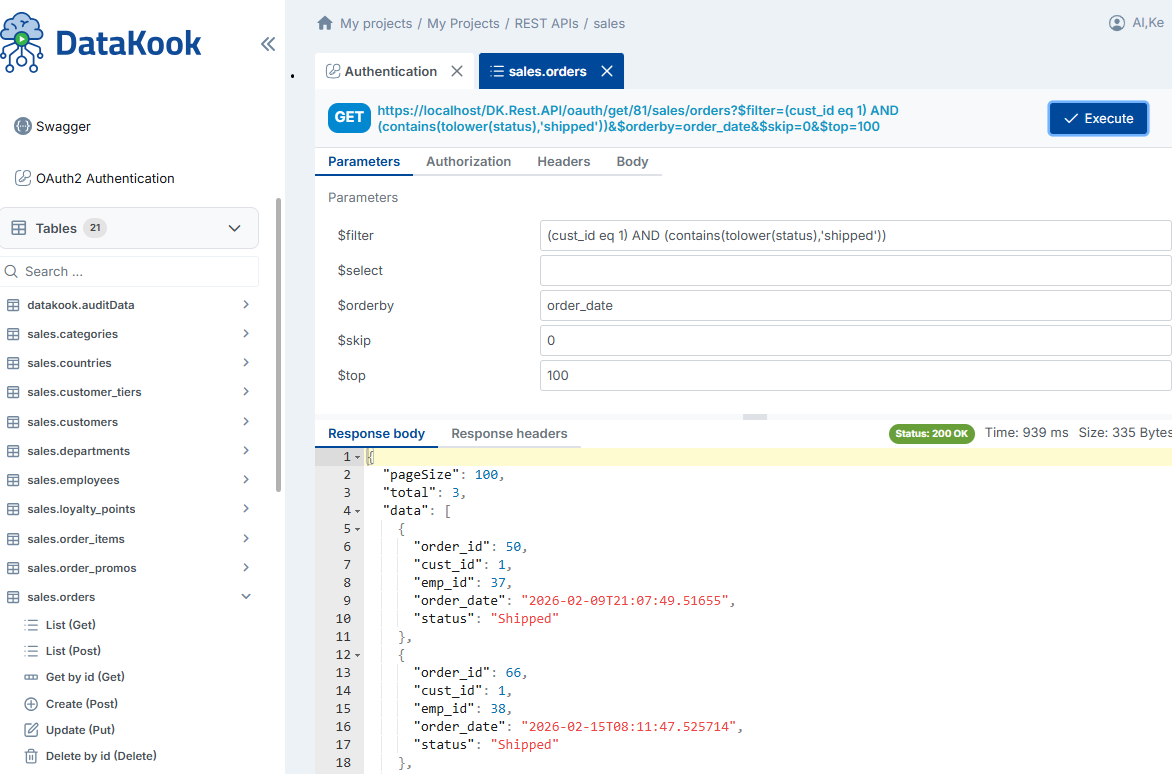
Filtering — Built-in query parameters for pagination, sorting, and field selection
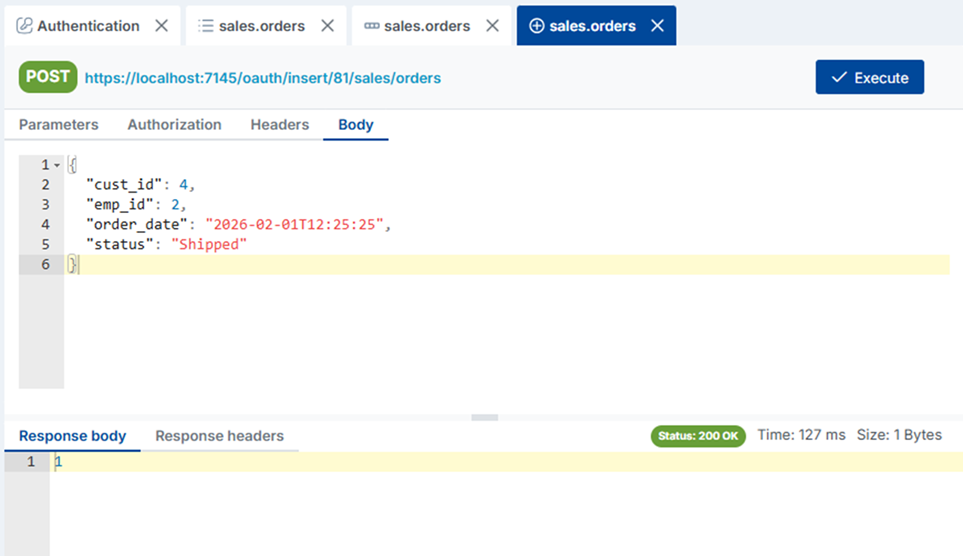
POST — Create new records with automatic schema validation and constraint enforcement
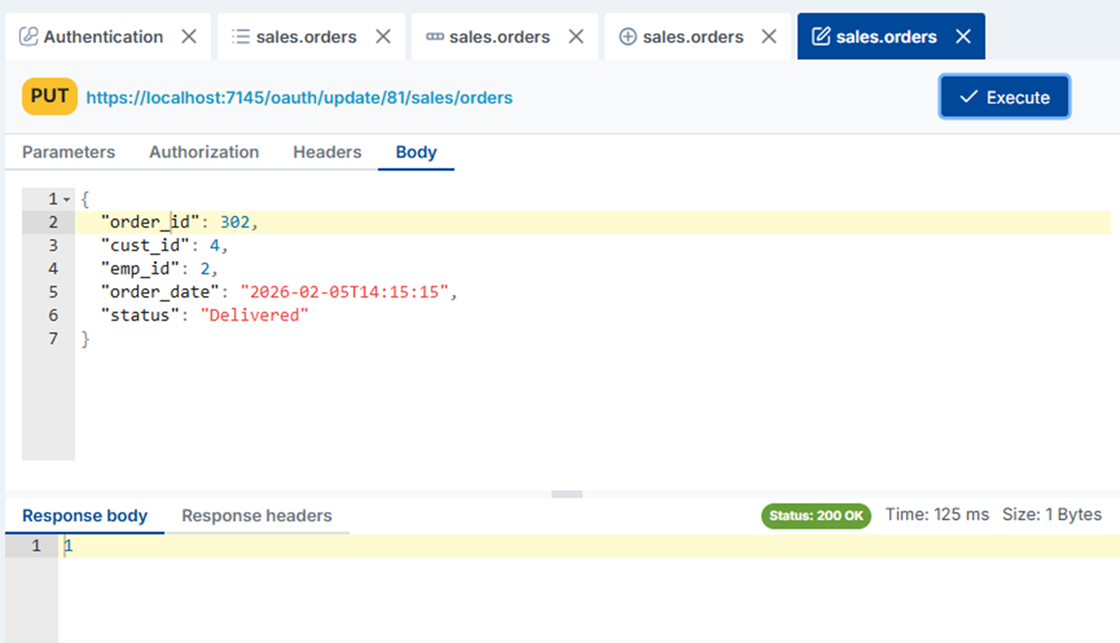
PUT — Update existing records with validation and referential integrity checks
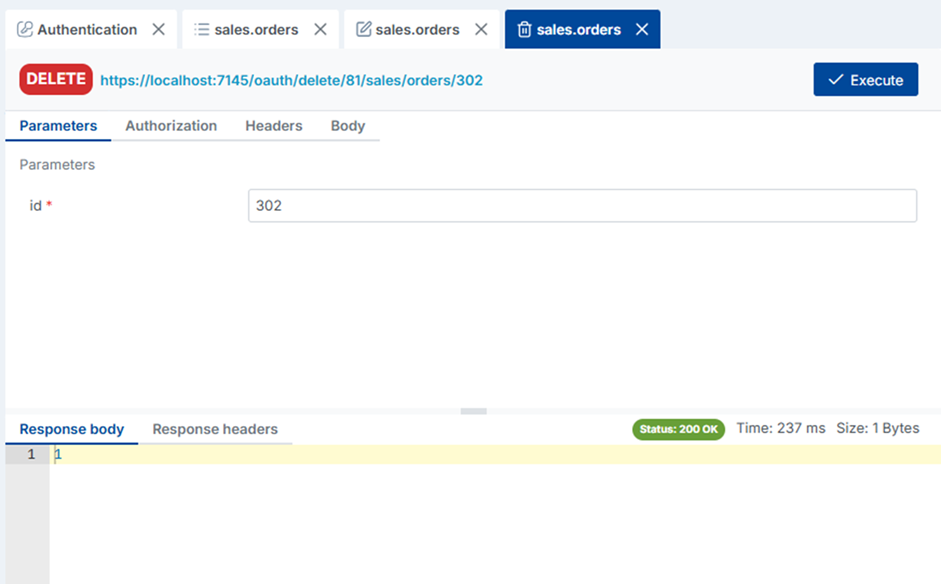
DELETE — Safe record deletion with foreign key constraint verification
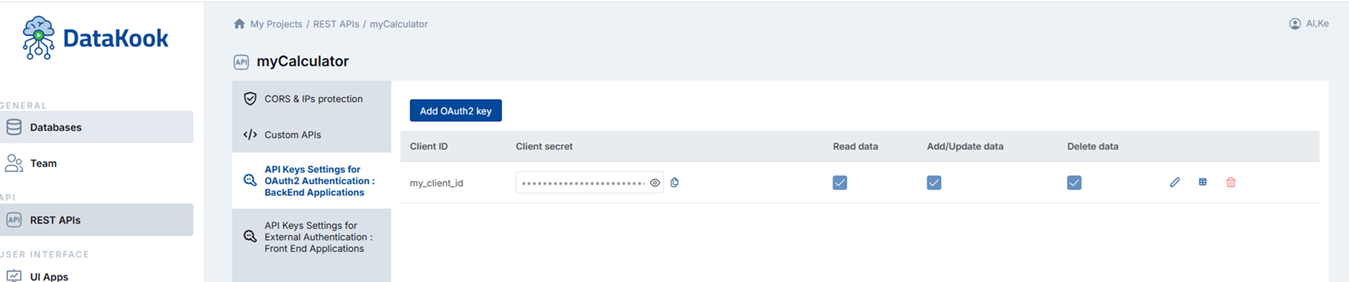
Security Config — Configure per-endpoint access control and authentication requirements
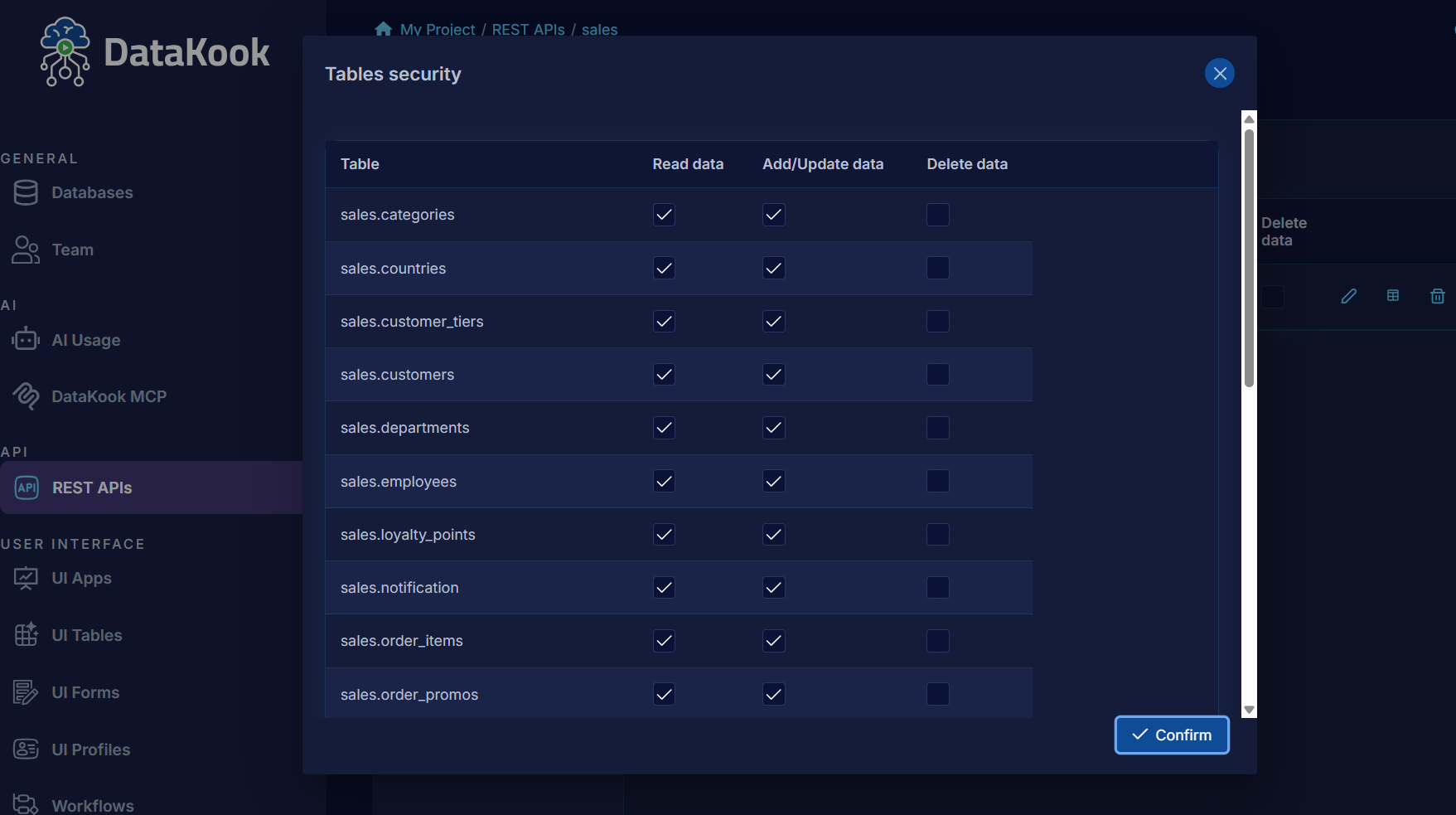
Granular Permissions — Fine-grained RBAC per user, per endpoint, per operation
The Backend Developer's Groundhog Day
Every new project starts the same way:
- Define your models/entities
- Write CRUD endpoints (GET, POST, PUT, DELETE)
- Add authentication (OAuth2, JWT, API keys)
- Implement pagination, filtering, sorting
- Write input validation
- Generate API documentation (Swagger/OpenAPI)
- Set up error handling
- Write tests
For a database with 20 tables, that's easily 40+ endpoints, thousands of lines of boilerplate, and weeks of work — before you write a single line of business logic.
The Alternative: Generate APIs from Your Existing Database
DataKook takes a fundamentally different approach. Instead of writing code that maps to your database, it reads your database schema and generates production-ready REST APIs automatically:
- CRUD endpoints for every table — GET (list + single), POST, PUT, DELETE
- Filtering, pagination, sorting — built in by default
- OAuth2 + JWT authentication — configured, not coded
- Swagger/OpenAPI documentation — auto-generated and always in sync
- Input validation — derived from column types and constraints
How It Works
Step 1: Connect Your Database
Point DataKook at any database — SQL Server, PostgreSQL, MySQL, MongoDB, CosmosDB, or Oracle. It reads your schema instantly.
Step 2: Select Tables to Expose
Choose which tables or collections become API endpoints. You don't have to expose everything — pick only what your frontend or partners need.
Step 3: Configure Access Control
Define who can access what. Per-endpoint RBAC means you can give read-only access to one team and full CRUD to another — without writing middleware.
Step 4: Deploy
Your APIs are live. Swagger documentation is generated automatically. Clients can start integrating immediately.
What the Generated API Looks Like
Auto-generated endpoints for a "Products" table:
GET    /api/products          → List with pagination, filtering, sorting
GET    /api/products/{id}     → Single item by primary key
POST   /api/products          → Create new (validates against schema)
PUT    /api/products/{id}     → Update existing
DELETE /api/products/{id}     → Delete with referential integrity check

Query parameters:
  ?page=1&pageSize=20
  ?filter=category eq 'Electronics'
  ?sort=price desc
  ?fields=id,name,price      → Field selection
Authentication: Already Done
The biggest time sink in API development isn't the CRUD — it's the auth. DataKook provides:
- OAuth2 flows — Authorization code, client credentials, PKCE
- JWT validation — Token-based access with configurable claims
All configured through the UI — zero auth code to write or maintain.
AI-Enhanced API Generation
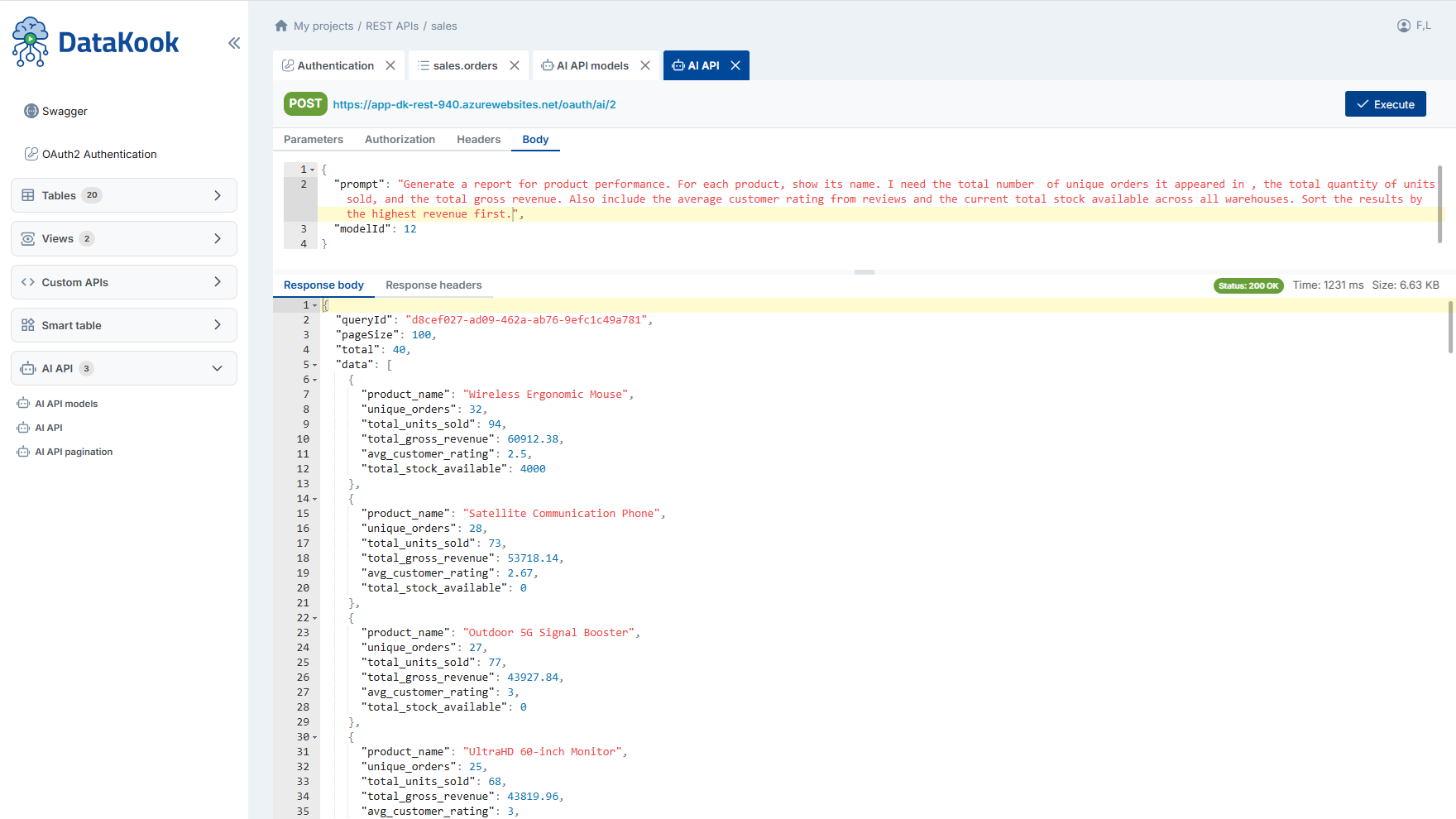
DataKook's AI can also help you design custom endpoints beyond simple CRUD:
- Describe a complex query in natural language → get a custom endpoint
- Generate aggregation endpoints (totals, averages, grouped data)
- Build composite endpoints that join multiple tables
When to Use Auto-Generated APIs
This approach is ideal for:
- Internal tools — Admin panels, dashboards, back-office apps
- MVPs and prototypes — Ship in days, refine later
- Partner integrations — Expose data to external systems securely
- Mobile backends — Standard CRUD for mobile apps
- Microservice migration — Wrap legacy databases with modern APIs
Security: Your Data Stays in Azure
Unlike tools like Hasura or Supabase that run on their own infrastructure, DataKook deploys entirely within your Azure subscription. Your database credentials, your data, and your APIs never leave your environment.
The Bottom Line
Writing CRUD APIs is solved. The patterns are well-understood, the code is repetitive, and it shouldn't take weeks. Auto-generation lets your team focus on business logic, custom features, and actual value — not boilerplate.