Fine-Grained Database Access Control Without the Complexity
Here's a dirty secret in most organizations: the entire development team has the same database password. Maybe it's in a shared `.env` file, maybe it's in a wiki page. Everyone has full access to everything — because setting up proper permissions is so painful that nobody bothers.
Why Teams Over-Share Database Access
It's not negligence. It's friction. Setting up proper database access control traditionally requires:
- SQL GRANT/REVOKE statements — different syntax per engine, complex to manage at scale
- Multiple user accounts — per person, per database, per environment
- Regular auditing — checking who has access, revoking departed employees
- Documentation — keeping track of who can do what
- Credential rotation — changing passwords without breaking applications
For a team of 10 people accessing 5 databases, that's 50 user accounts to manage. Most teams just share one connection and hope for the best.
The Risks of "Everyone Gets Full Access"
This approach works until it doesn't:
- Accidental data deletion — An intern runs DELETE without a WHERE clause on production
- Data leaks — A contractor exports salary data they shouldn't see
- Compliance failures — Auditors ask "who accessed patient records?" and you can't answer
- No accountability — When something goes wrong, you can't trace it to a person
DataKook's Approach: Visual RBAC
DataKook makes access control visual and manageable — no SQL grants, no complex policies, no dedicated security engineer required.
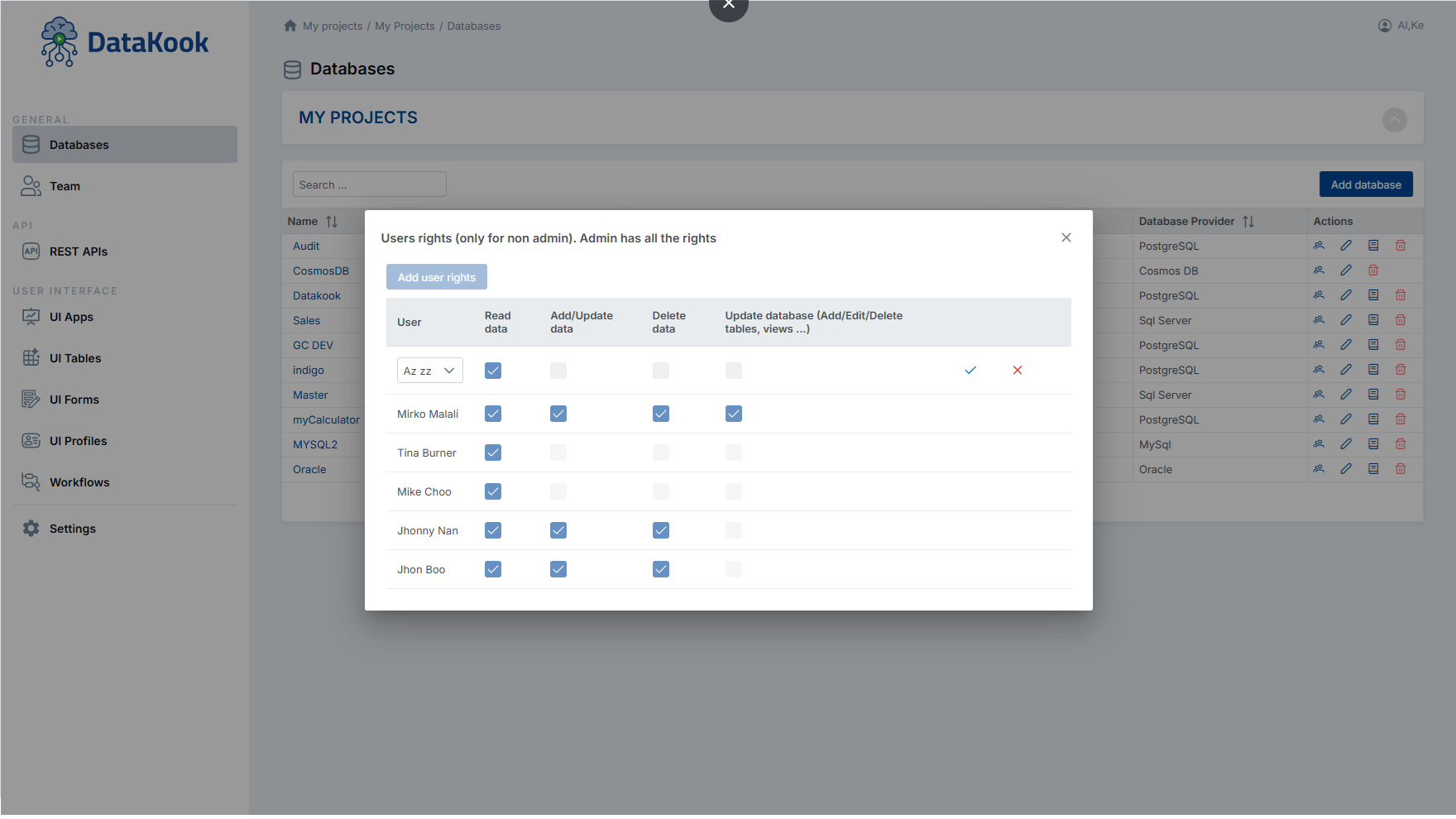
1. Per-User Permissions (No Shared Credentials)
Each team member logs in with their own identity — via Azure AD, SAML, or OpenID Connect. No shared passwords. No connection strings in Slack.
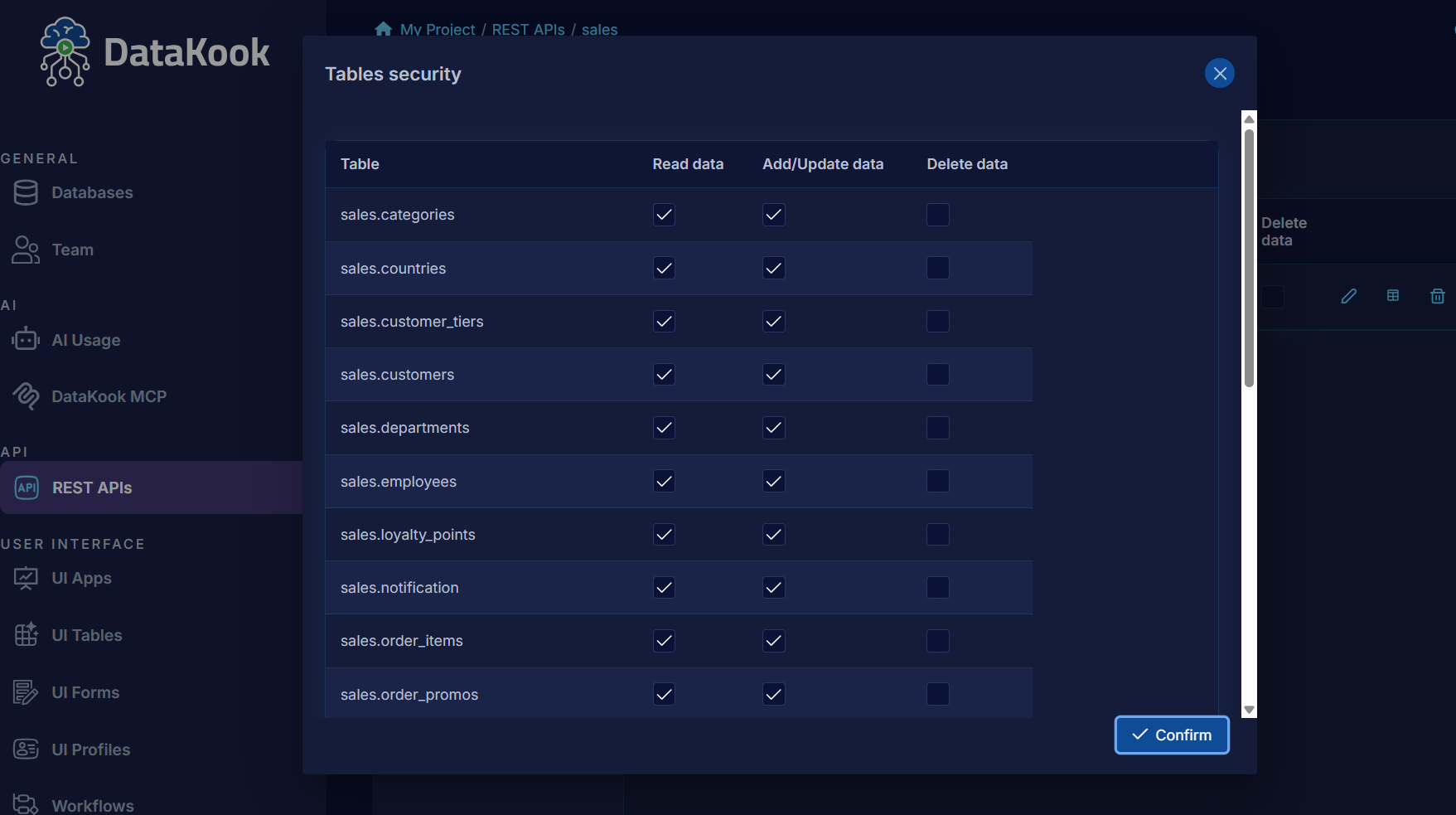
2. Table-Level Control
Define exactly which tables each user or role can access:
- Full access — Read, write, delete
- Read-only — Browse and query, but no modifications
- No access — Table is invisible to this user
3. Column-Level Restrictions
This is where most tools stop — and where DataKook excels. You can hide specific columns from specific users:
- HR team sees employee names but not salary
- Support sees order IDs but not payment details
- Analysts see aggregated data but not PII columns
The restricted columns simply don't appear in the user's view — no complex row-level security policies to write.
4. Operation-Level Control
Beyond read/write, you can control specific operations:
- Can view data but not export it
- Can run SELECT but not INSERT/UPDATE/DELETE
- Can use the AI assistant but not execute generated queries directly
- Can access via UI but not via REST API
Audit Trails: Know Who Did What
Every action in DataKook is logged automatically:
- DML audit — Who inserted/updated/deleted which row, when, what was the old value
- DDL audit — Who created/altered/dropped tables or columns
- Access audit — Who logged in, from where, what queries they ran
- API audit — Which API calls were made, by whom, with what parameters
Example audit entry:
{
  "timestamp": "2026-05-15T14:32:18Z",
  "user": "jane.smith@company.com",
  "action": "UPDATE",
  "database": "production-sql",
  "table": "Customers",
  "record_id": "C-4521",
  "changes": {
    "email": {
      "old": "jane@old.com",
      "new": "jane@new.com"
    }
  }
}
SSO: One Login, All Databases
DataKook supports enterprise identity providers:
- Azure Active Directory (Entra ID) — Native integration
- SAML 2.0 — Okta, OneLogin, PingFederate
- OpenID Connect — Any OIDC-compliant provider
Benefits of SSO for database access:
- Employees who leave are automatically revoked (tied to directory)
- MFA enforcement through your identity provider
- No passwords to manage or rotate for database users
- Consistent identity across all your databases
Implementation: 15 Minutes, Not 15 Days
Here's what setting up proper access control looks like in DataKook:
- Connect SSO — Link Azure AD or your SAML provider (5 min)
- Create roles — "Analyst", "Developer", "Admin", "Support" (3 min)
- Assign table/column permissions per role — Visual checkboxes (5 min)
- Invite users — They log in with their existing credentials (2 min)
No GRANT statements. No user accounts to create in each database. No documentation to maintain — the permissions ARE the documentation.
Compliance Made Simple
When auditors ask:
- "Who has access to customer PII?" → Show the role permission matrix
- "Who accessed this record last month?" → Export the audit trail
- "How do you ensure least-privilege access?" → Demonstrate column-level restrictions
- "What happens when employees leave?" → SSO deprovisioning is automatic