How to Query Your Azure Databases with Natural Language (Without Exposing Data to LLMs)
Your team writes dozens of SQL queries daily. What if they could describe what they need in plain English and get optimized SQL instantly — without sending sensitive data to OpenAI, Anthropic, or any external provider?
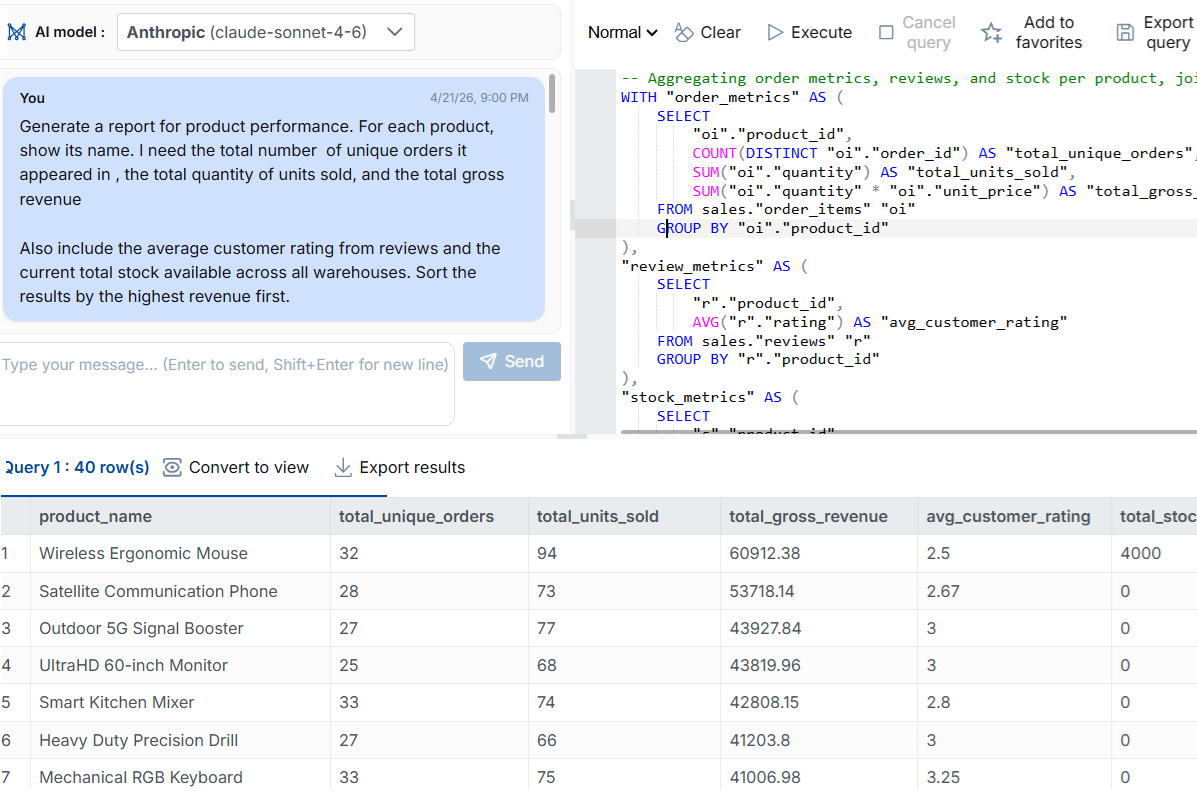
AI SQL Generation — Describe what you need in plain English, get optimized SQL instantly
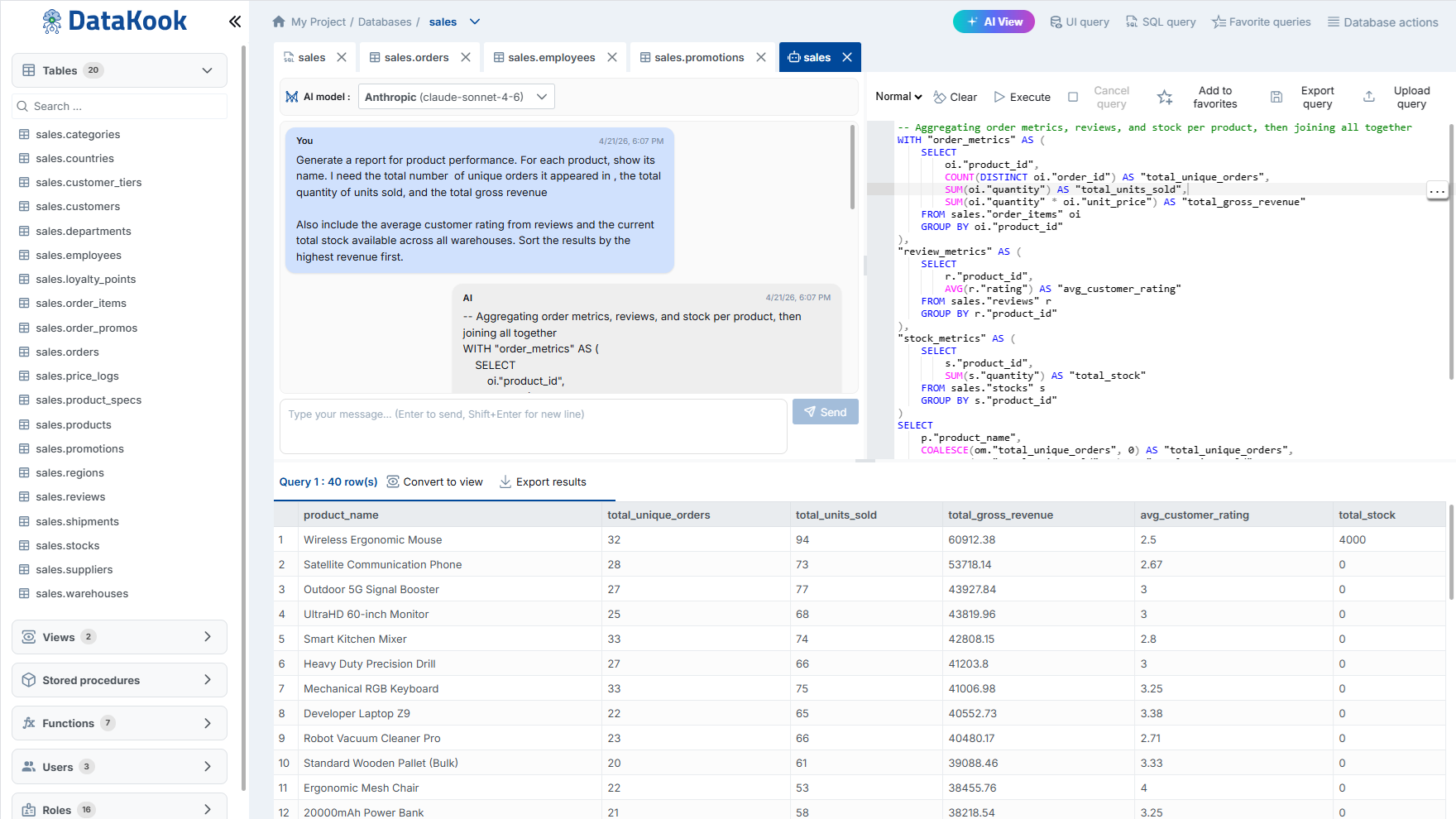
AI Query Interface — Type natural language prompts and execute generated SQL in one click
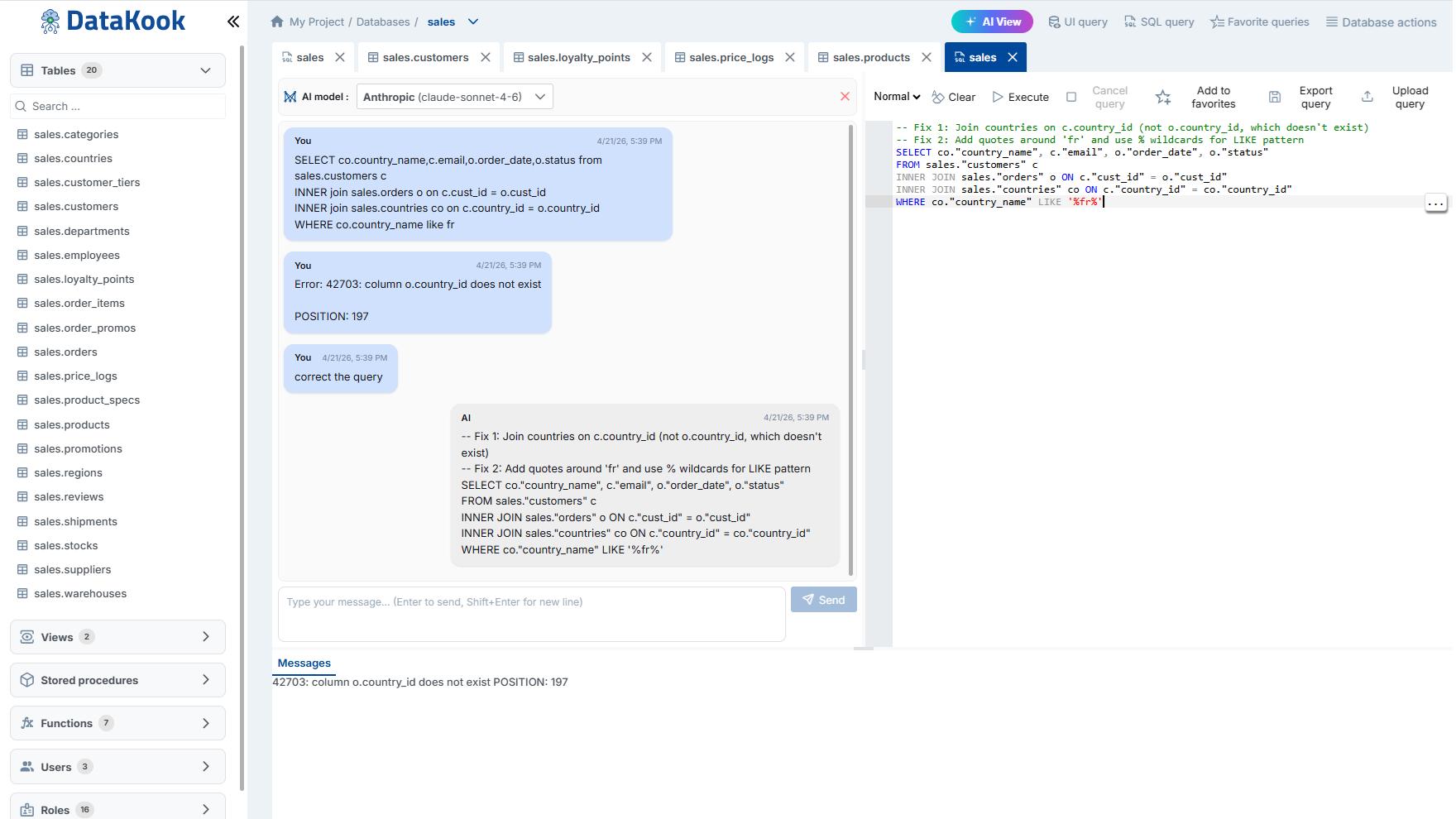
AI Assistant — Chat with your data, explore schemas, and debug queries conversationally
The Problem: AI Needs Context, But You Can't Share Data
Large Language Models are incredibly good at generating SQL. But there's a catch: to generate accurate queries, the AI needs to understand your schema — table names, column types, relationships. And most tools send this information (sometimes with sample data) to external AI providers.
For teams handling financial data, healthcare records, or customer PII, that's a non-starter. Compliance requirements (GDPR, HIPAA, SOC 2) make it impossible to send database content to third-party cloud services.
The Solution: Schema-Only AI with DataKook
DataKook solves this by sharing only schema metadata with LLMs — never raw data:
- Table and column names — so the AI understands your data model
- Data types and constraints — so generated SQL is syntactically correct
- Relationships (foreign keys) — so JOINs are accurate
Your actual data — rows, values, sensitive content — never leaves your Azure subscription.
How It Works (Step by Step)
- Connect your database — DataKook supports SQL Server, PostgreSQL, MySQL, MongoDB, CosmosDB, and more
- Type your question in plain English — e.g., "Show me the top 10 customers by revenue last quarter"
- DataKook sends schema context to AI — only metadata, never data
- Get optimized SQL back — reviewed by DataKook for syntax correctness
- Execute directly — run the query against your database from the same interface
Example: From English to SQL in Seconds
You type:
"Which products had more than 100 returns last month, grouped by category?"
DataKook generates:
SELECT c.CategoryName, p.ProductName, COUNT(r.ReturnId) AS ReturnCount
FROM Returns r
JOIN Products p ON r.ProductId = p.ProductId
JOIN Categories c ON p.CategoryId = c.CategoryId
WHERE r.ReturnDate >= DATEADD(month, -1, GETDATE())
GROUP BY c.CategoryName, p.ProductName
HAVING COUNT(r.ReturnId) > 100
ORDER BY ReturnCount DESC;
Beyond Simple Queries: Agentic AI Mode
For complex multi-step operations, DataKook's Agentic AI mode goes further. Describe an entire workflow:
"Create a monthly_revenue_summary table, populate it from Orders and Payments for the last 12 months, and add an index on the month column."
The AI plans the steps, shows you a preview of every DDL/DML operation, and executes them sequentially — with safety controls at each step.
Security Architecture
Here's what makes this enterprise-ready:
- Data never leaves Azure — DataKook runs in your subscription
- Schema-only context — LLMs receive metadata, not values
- RBAC enforcement — AI respects user permissions (can't query tables you can't access)
- Full audit trail — every AI-generated query is logged with user context
Getting Started
DataKook is available on the Azure Marketplace. Deploy it in your subscription in minutes, connect your databases, and start querying with AI immediately.